Auracast Noise Cancelling Headphones And LE Audio Explained
By Diego Álvarez • 29th Sep
What to do first
Auracast and active noise cancellation are separate features to verify. Auracast is a set of Bluetooth broadcast-audio configurations that can let in-range compatible receivers join a broadcast.
- What to do first: Check the exact headphone model’s documentation for Auracast reception, the supported selection method, and whether your source uses the same LE Audio approach.
- Likely explanation: Bluetooth 5.2 or Bluetooth LE alone does not prove Auracast support, and the evidence here does not establish that Auracast changes ANC.
- Stop or escalate when: Do not rely on Auracast until the venue has an active broadcast and your equipment has a supported way to join.
Important: Range, latency, battery benefits, device compatibility, and public availability depend on implementation and location; verify the exact products and venue rather than assuming support.
Auracast noise cancelling headphones and Bluetooth LE Audio ANC are easy to misunderstand because they are separate features. For a deeper explanation of ANC, see our guide to how active noise cancellation works. Auracast is a Bluetooth broadcast-audio system: it can let compatible listeners join the same nearby audio stream. One may matter at a presentation, gate, or other participating venue; the other remains a separate headphone feature to check in the exact model documentation.
That distinction is more than technical housekeeping. If your buying decision begins with a route (train platform, open-plan office, plane cabin, wind-exposed walk), you avoid paying for a logo or a checkbox that does not match the use case you actually face.
The problem: one label is being asked to do three jobs
'Auracast', 'LE Audio', and 'noise cancelling' often appear in the same product conversation. It is tempting to read them as one stack of upgrades: newer Bluetooth, stronger silence, better sound, lower delay. The evidence does not support that shortcut.
Here is the clean split:
- Active noise cancellation (ANC) is a separate feature whose operation and performance should be checked in the exact product documentation. For background, see our guide to microphones and processing.
- Bluetooth LE Audio is a newer generation of Bluetooth audio that operates on the Bluetooth Low Energy radio. It uses LE Isochronous Channels, a core feature introduced with Bluetooth Core Specification 5.2, and includes the LC3 codec.
- Auracast broadcast audio is a defined set of Bluetooth broadcast-audio configurations within LE Audio's Public Broadcast Profile. It is not a separate radio technology and it is not Bluetooth as a whole.
LE Audio's LC3 codec gives product designers room to trade audio quality against power consumption. For more detail on how noise conditions and processing choices influence battery draw, see our guide to adaptive ANC power efficiency. That is a design capability, not a promise that every compatible device delivers longer battery life or better-sounding music. Timing and power outcomes depend on choices such as codec settings, packetization, retransmissions, and intervals.
Most importantly, the evidence here does not establish that Auracast enables, improves, or otherwise changes ANC. Treat broadcast reception and ANC as separate boxes to verify in the exact product documentation.
A broadcast feature can deliver a venue's audio to your headphones; check the headphone's separate features independently.
Why that confusion creates expensive disappointment
Consider the familiar commuter equation. You buy headphones hoping for a better experience on a crosswind sidewalk, intelligible calls by an HVAC vent, and a long carriage ride. Then you spot Auracast on a feature list and assume it changes that outcome.
The evidence does not establish that it does. Auracast addresses how a compatible audio stream can be shared; it does not document the noise-control, call, fit, or comfort characteristics of a particular headphone model.
In my city-loop notes, the route overlays never agreed on a single 'best' set. A mid-tier pair once held its character unusually well at an exposed riverwalk checkpoint with gusts arriving around 45 degrees off-axis, yet felt less suitable near an office supply vent. That is why a prestige label (and, equally, a new wireless-audio label) cannot stand in for environment-matched testing. For a more precise way to match headphones to your route, compare their frequency-specific ANC performance against the noises you actually encounter.
The same caution applies to sound quality. People shopping for audiophile noise cancelling headphones can reasonably care about codec support, but 'LE Audio' alone does not establish a universal sound-quality result. The codec and transport are part of a device implementation; fit, tuning, and the source material remain outside the Auracast label. Our guide to Bluetooth codecs and ANC performance explains why the wireless audio pipeline can affect the listening result.
The solution: understand Auracast as a nearby broadcast workflow
An Auracast setup has three useful roles:
- Transmitter/source: sends the broadcast audio.
- Receiver: joins and plays it. Examples include headphones, earbuds, and hearing aids; verify Auracast reception for the exact product.
- Assistant: scans for broadcasts and gives you a way to choose one. A smartphone may facilitate scanning and selection, but the supported workflow depends on the equipment.
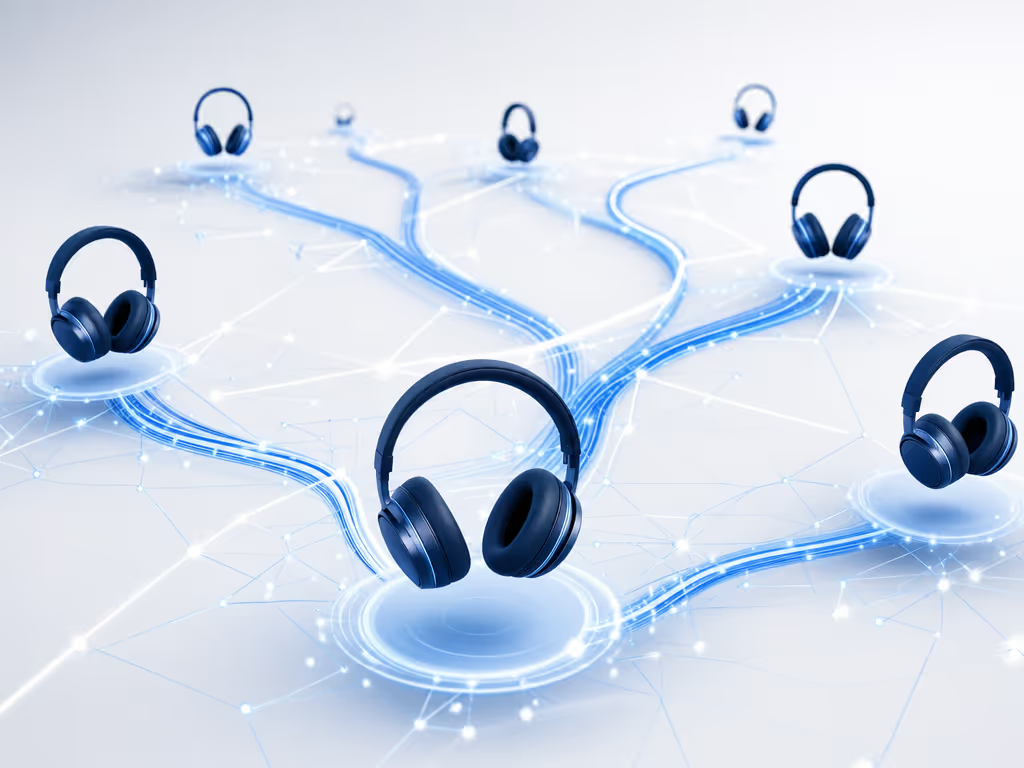
The source advertises information including a broadcast name, its content, and codec configuration. An assistant can scan those advertisements and present a selection interface, conceptually similar to choosing public Wi-Fi. Once a receiver is in range and joins, each listener controls their own volume.
The one-to-many model is the point: an unlimited number of in-range receivers can join a broadcast. But do not turn 'in range' into a distance claim. Real-world range depends on the implementation and environment, and there is no universal figure to rely on.
Open versus closed broadcasts: the privacy check
- An open broadcast can be joined by any in-range compatible sink device.
- A closed broadcast requires the correct passkey.
So do not assume that a broadcast is private merely because it is audio sent over Bluetooth. For a public stream, the practical question is whether it is intentionally open and whether you want to join it. For restricted content, ask how the organizer supplies and manages the passkey.
An Auracast compatibility guide that avoids false positives
The most useful Auracast compatibility guide is not a list built from Bluetooth version numbers. Work through the chain instead.
1. Confirm receiver support on the exact headphones
Look for the manufacturer's explicit statement that the exact model can receive Auracast broadcast audio or supports the relevant LE Audio broadcast function. 'Bluetooth 5.2' is insufficient by itself: LE Audio relies on a 5.2 core feature, but a product carrying that version number is not automatically an LE Audio or Auracast receiver.
If you are comparing Bose Bluetooth headphones or any other brand, apply the same standard: verify the specific model and its documented capabilities, not the brand name, chip generation, or retailer shorthand.
2. Confirm how you will join a broadcast
Find out which supported join method applies to your receiver and any assistant device. An Auracast assistant can scan broadcast advertisements and provide a selection interface, and a smartphone may facilitate that process. Do not assume a phone will always discover and join a broadcast directly.
3. Confirm the sending side and the location
You need an active broadcast, compatible receiving equipment, and a supported way to join. As of September 2026, public availability is described as growing but not universal. Before relying on it at a venue, confirm that the specific location has an active broadcast when you will be there.
4. Confirm coexistence with your everyday devices
Classic Bluetooth audio and LE Audio are distinct approaches. They are not automatically interoperable when source and receiver do not use the same approach, although products can be designed to support both. Existing Bluetooth products may or may not gain LE Audio through an update; only the manufacturer can confirm upgradeability.
This matters on computers as well. A PC having Bluetooth LE does not necessarily mean it supports LE Audio. Windows 11 24H2 has documented direct streaming support for compatible LE Audio assistive hearing devices when the PC also supports LE Audio, but that narrow statement is not a blanket promise for Auracast headphones or every Windows computer.
Buy for the route you travel, then treat Auracast as optional capability
For a noisy-life purchase, score the features in the order they affect your day:
- Plane or subway: check independently measured product performance and comfort over long wear.
- Windy sidewalks and calls: prioritize documented wind handling and microphone intelligibility in the conditions you actually encounter.
- HVAC-heavy offices: look for product testing relevant to steady ventilation noise, speech, and keyboard transients.
- Shared public audio: add verified Auracast reception only if the venues in your routine actively offer it.
Your map of quiet should match the routes you travel. Auracast can be genuinely useful on the right route, but it is not a substitute for checking a headphone's documented features, fit, and microphone behavior at your own checkpoints.
FAQ
What headphones support Auracast?
Headphones can be Auracast receivers, but there is no reliable universal list to infer from Bluetooth version numbers. Check the manufacturer's documentation for the exact model and confirm whether it receives broadcasts, how the supported join method works, and whether an update is required or even available.
Should I enable Bluetooth LE Audio?
Enable it when your exact source and listening device support the same LE Audio approach and their manufacturers document compatibility. There is no universal 'on' recommendation, particularly when you depend on a specific computer, phone, or accessory workflow.
Does LE Audio sound better?
LC3 is designed to let developers balance quality and power consumption, but the audible result depends on implementation choices. LE Audio is not, by itself, a guarantee of better sound.
Is Auracast available now?
As of September 2026, public availability is described as growing but not universal. It can be used where a compatible broadcast is active and your receiving equipment has a supported join method, so verify the individual venue rather than planning around an assumption.
Explore the signal path before you buy
Start with your noisiest three checkpoints and write down what you need from the headphones: cabin rumble, rail squeal, HVAC wash, crosswind, or surrounding voices. Then separate the shortlist into two columns: documented headphone and call behavior for those environments, and verified Auracast compatibility for places that offer it.
That small discipline turns a broad feature hunt into a decision you can use every day: headphones chosen for your work and travel, with broadcast audio available when the location (not the marketing) makes it relevant.